

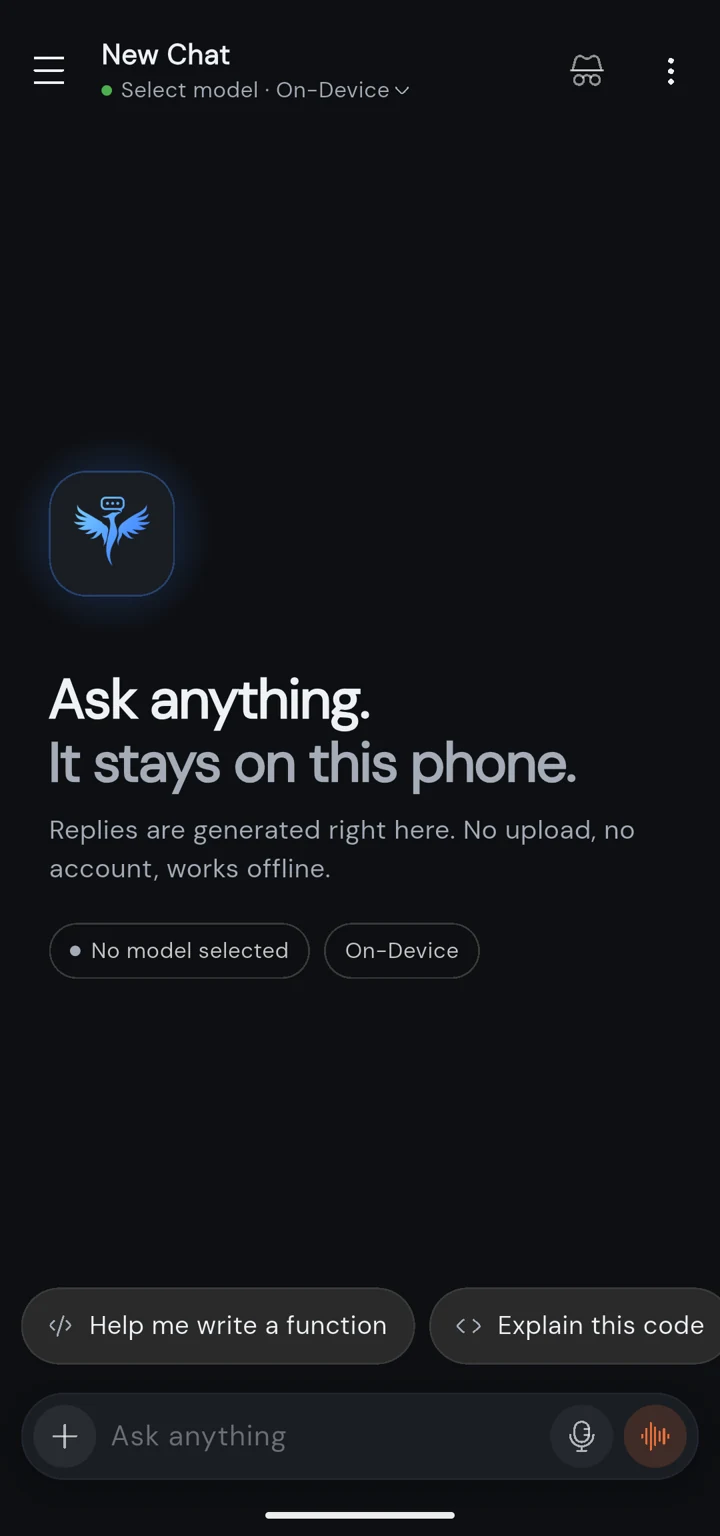
A private AI chat that lives on your phone.
Phoenix Local AI runs open models like Gemma, Qwen and Phi on your Android phone itself. No account, no upload, and it keeps working in airplane mode.
Got a PC running Ollama or LM Studio, or an OpenRouter key? Add it and chat with bigger models from the same app.
Android 8.0 or later. Not on Google Play: you install it straight from this page.
Companions that remember you
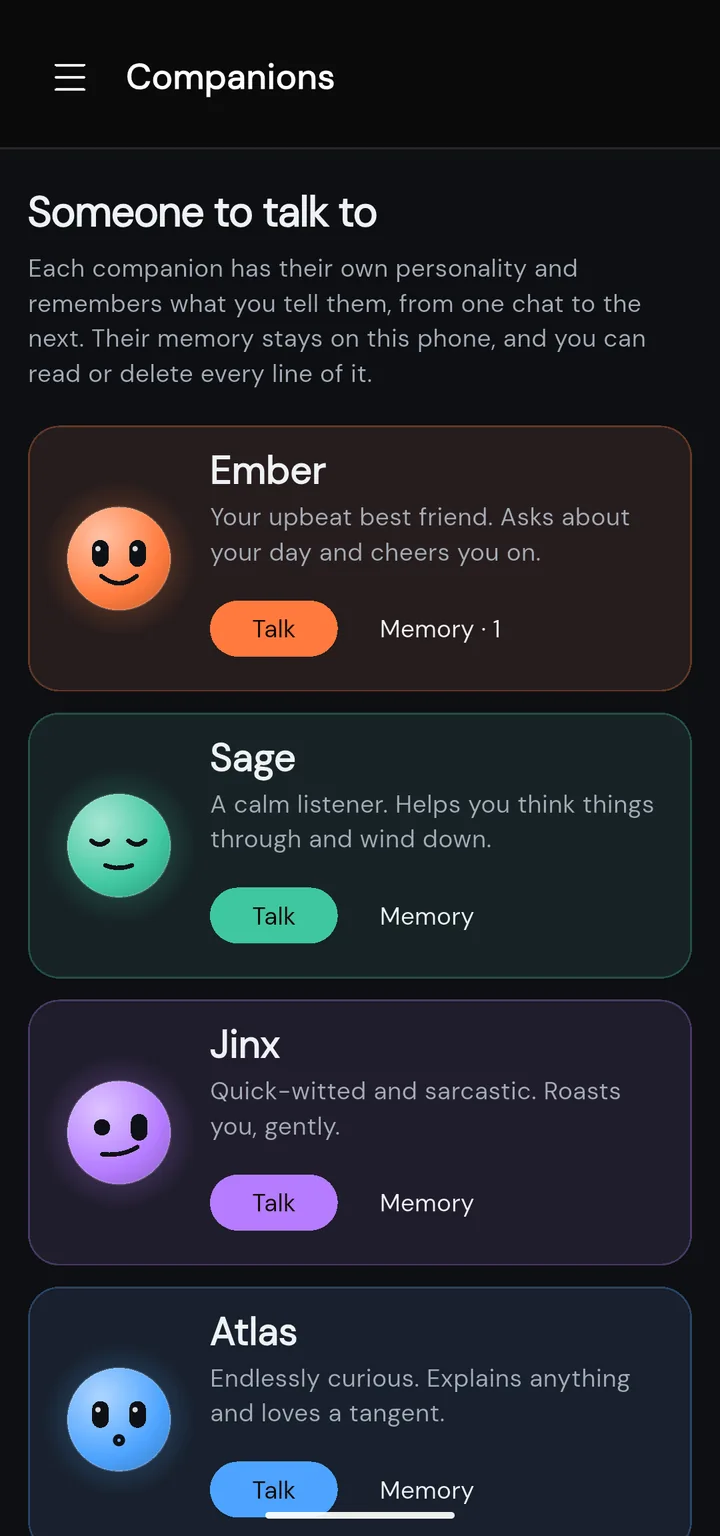
Pick someone to talk to. Ember cheers you on, Sage helps you wind down, Jinx roasts you (gently) and Atlas will explain anything. Each one has a face, a personality, and a memory of what you tell them.
They remember
Mention your dog's name or a job interview on Friday, and next week they'll ask how it went. What they remember carries from one chat to the next.
On your phone, not ours
A companion's memory is a list kept on the phone. It only goes to the model you chat with, which never leaves the phone if you use an on-device model.
You can read every line
Open a companion's memory to see everything they've picked up. Fix a line, delete it, add your own, or make them forget it all.
Friendly, not flirty
Companions are for company: a chat at the end of the day, a pep talk, a second opinion. No romance or adult roleplay.
What it does
Models that run on the phone
Pick from a ready list (Gemma 4, Gemma 3, Qwen, Phi-4 Mini, a DeepSeek R1 distill and more) or bring any GGUF model from Hugging Face. Small ones run on most recent phones; more memory lets you run bigger, smarter ones.
Your own servers too
Connect Ollama, LM Studio or any OpenAI-compatible server on your network, or OpenRouter and Requesty with your own key. Messages go straight from your phone to the server you chose.
Talk to it
Dictate a question, have answers read aloud, or switch to hands-free voice mode for a spoken back-and-forth with a local model.
Photos and files
Attach a photo or a document and ask about it with a vision model, on the phone or on your server.
Tools through MCP
Give a model tools from local or remote MCP servers, and switch each one on or off for all chats or just one.
The everyday stuff
Personas with your own instructions, saved prompts, temporary chats that are never stored, search across your history, and a backup file you can restore on a new phone.
What leaves your phone
With an on-device model, your chats never do. The app only goes online for these:
Model downloads
When you pick a model, it downloads from Hugging Face once. After that it runs with no connection.
A licence check
About once a week the app confirms your key with Lemon Squeezy. Being offline never locks you out.
Servers you add
If you connect your own server or a cloud provider, your messages go to it directly. Never through us.
Nothing else
No analytics, no ads, no account. Your chats are stored on the phone, and only you can back them up.
Pricing
Phoenix Local AI
$9.99 once
- Every feature, no tiers.
- Every future update included.
- One key works on up to 3 phones.
- No subscription, no account.
Try it free for 7 days first, everything unlocked and no card needed. Your licence key arrives by email; paste it into the app's Licence screen. Not right for you? Full refund within 14 days. Billed and handled by Lemon Squeezy.
Why it costs once
The models run on your phone, so you aren't paying for our servers. There is nothing for us to charge you monthly for.
New phone?
Remove the key from the old phone in the app's Licence screen and enter it on the new one. Back up your chats first and restore them there.
Download
The download is the full app with a 7-day free trial. Open the APK on your phone; Android asks once whether your browser may install apps, then installs it. To update, download the new version here and install it over the old one; your chats stay.
What it needs
On-device models live in your phone's memory while they run, so memory decides which models you can use. Servers and cloud providers work on any phone the app installs on.
| Minimum | For bigger models | |
|---|---|---|
| Android | 8.0 or later, 64-bit (ARM) | |
| Memory | 4 GB RAM small models, under 1B | 8 GB RAM or more Gemma 4 and other 2-4B models |
| Storage | About 300 MB for the app, plus each model you download (a few hundred MB to a few GB) | |
Questions
Does it really work with no internet?
Yes, once a model is downloaded. On-device models run entirely on your phone's processor, so chats work in airplane mode. You need a connection to download a model the first time, and to use a server or cloud provider you have added yourself.
Can I try it before buying?
Yes. The first 7 days are a free trial with everything unlocked and no card needed. After the trial your chats and settings stay on the phone; sending new messages needs a licence key.
Is this a subscription?
No. It's $9.99 once. Every update is included and the key works on up to 3 phones.
Why isn't it on Google Play?
We sell it directly so there's no store cut and no store account needed. You download the APK from this page and Android asks once whether your browser may install apps. New versions come from this page too, and installing one over the old keeps your chats.
Is there an iPhone version?
Not yet. Phoenix Local AI is Android only for now.
What does the app send over the internet?
Three things, and only these: model downloads from Hugging Face when you pick a model, a licence check with Lemon Squeezy about once a week, and your messages to a server or provider only if you added one. There are no analytics and no account.